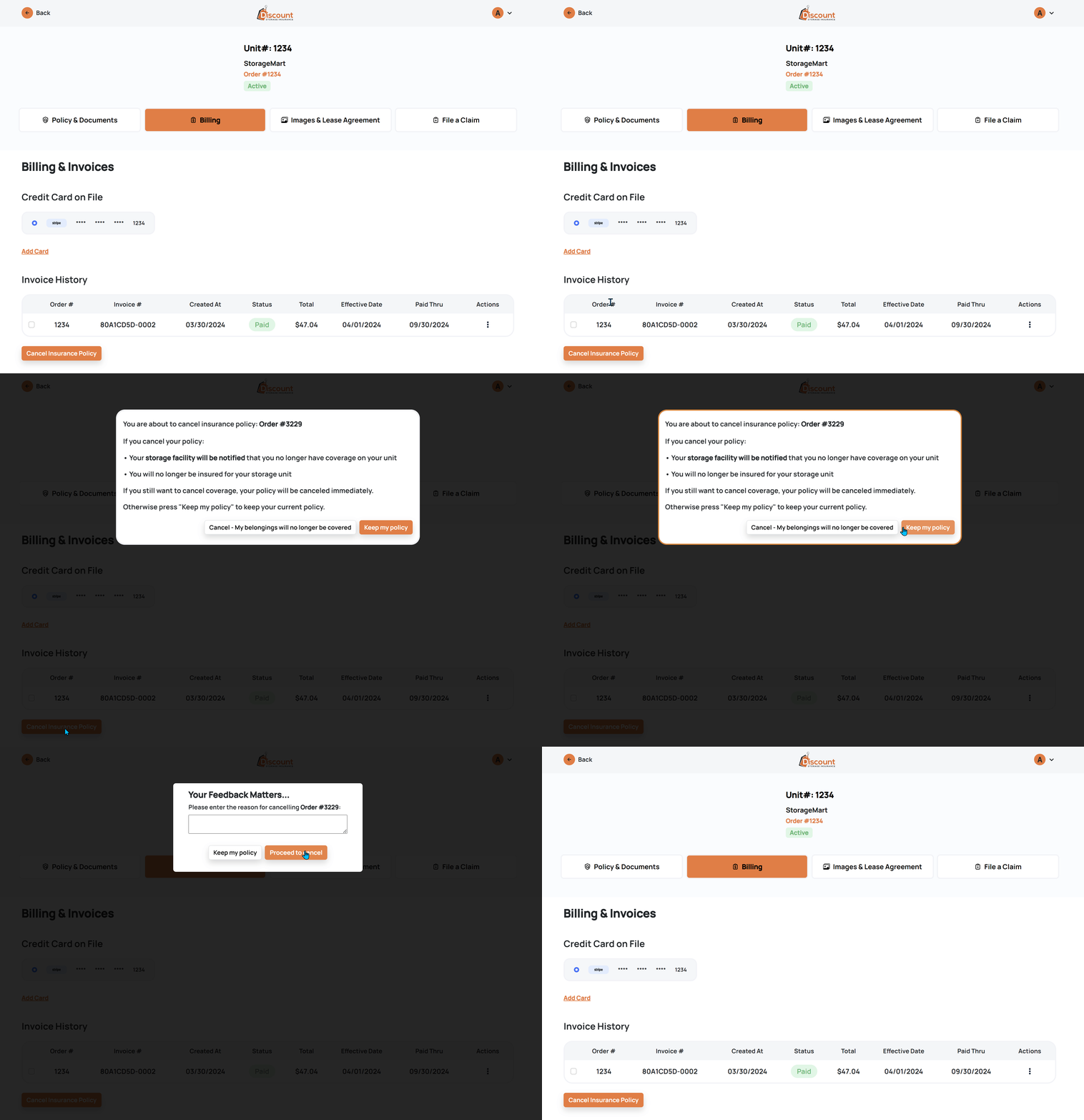
You have the option to cancel your insurance policy whenever you wish.
1) Log into your account here: https://www.discountstorageinsurance.com/login
2) Navigate to the "Billing" section on your dashboard.
3) Beneath your invoice history, you will find a button labeled "Cancel Insurance Policy" for your convenience.
4) Enter a reason for your cancellation and click "Proceed to Cancel".
It's important to note that if you choose to proceed with cancellation, your possessions will no longer be protected after your period ends and your storage facility will be informed.